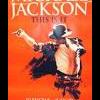
March 11, 200917 yr comment_74476 Pop superstar Michael Jackson has doubled his run of comeback shows in London this summer - after more than a million fans tried to get tickets. The Thriller hitmaker announced his return to the stage last week at a press conference in the capital, unveiling a residency of 10 shows at the city's O2 Arena in July. More than a million fans registered to buy tickets for the 10 shows at the 20, 000-capacity venue, with pre-sale seats snapped up within minutes of going on sale on Wednesday. Websites went into meltdown as Jackson fans across the globe desperately clamoured for tickets - prompting organisers to extend his run for another 10 shows. Jackson hasn't played a full concert since 2001 and insists these shows will be his last in London. Tickets go on sale to the general public on Friday. The new dates are: Jul 30, 2009 Aug 1, 2009 Aug 3, 2009 Aug 10, 2009 Aug 12, 2009 Aug 17, 2009 Aug 24, 2009 Aug 26, 2009 Aug 28, 2009 Aug 30, 2009 Yahoo.. Report
March 11, 200917 yr comment_74478 Wow, as much of a fan as i am, and i know he's done some pretty incredible stuff, but could this be a bit too much all at once? Exciting though. Hope he tours elsewhere like here Report





Join the conversation
You can post now and register later. If you have an account, sign in now to post with your account.