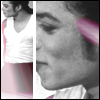
November 26, 200619 yr comment_62681 I found newest picture of Michael, so I thought I have to share it with you guys http://img86.imageshack.us/img86/2637/251106mjlondonpromoyu4.jpg Edited November 26, 200619 yr by kristina Report
November 26, 200619 yr comment_62682 yea thats an editied picture from the small photoshoot done when MJ picked up his Guiness Awards. Report
November 26, 200619 yr comment_62710 Is this from the `Guiness``photoshoot? Thanks for sharing annyway Report
February 12, 200719 yr comment_68057 he looks healthy See I like this photo. I heard a lot of negative comments about it before, but I think he looks great. Report
February 24, 200719 yr comment_69666 yeah , HE looks GOOOOOOOOD!!!!....OH my .. Edited February 24, 200719 yr by wendi Report
February 24, 200719 yr comment_69670 Ive seen this before...But Im loving how he's rockin the hair do! And his skin is flaw less...YAY! GO MICHAEL!! I MEAN COME BACK MICHAEL! LOL Report
February 27, 200719 yr comment_70018 Yea , in this pic he looks good, I mean he looks good in every pic! LOL thanks for sharing Kristina Report
February 27, 200719 yr comment_70020 good pic, but if its edited, then they should have edited the makeup off his shirt collar. Report
February 27, 200719 yr comment_70120 Hm.. Never saw that before you mension it *Josh*! mybe they shoud have done that... but hardly anny notice that Report





Join the conversation
You can post now and register later. If you have an account, sign in now to post with your account.